Publishing
When you make changes to your site, they need to be published before visitors can see them. Kotisivukamu supports two publishing methods.
Automatic publishing
By default, site changes are published automatically as soon as they're ready. This means every change is immediately visible on your site.
Manual publishing
If you want to review changes before publishing, you can turn off automatic publishing:
- Go to the site's Settings page
- Turn off the Publish automatically switch
- Click Save
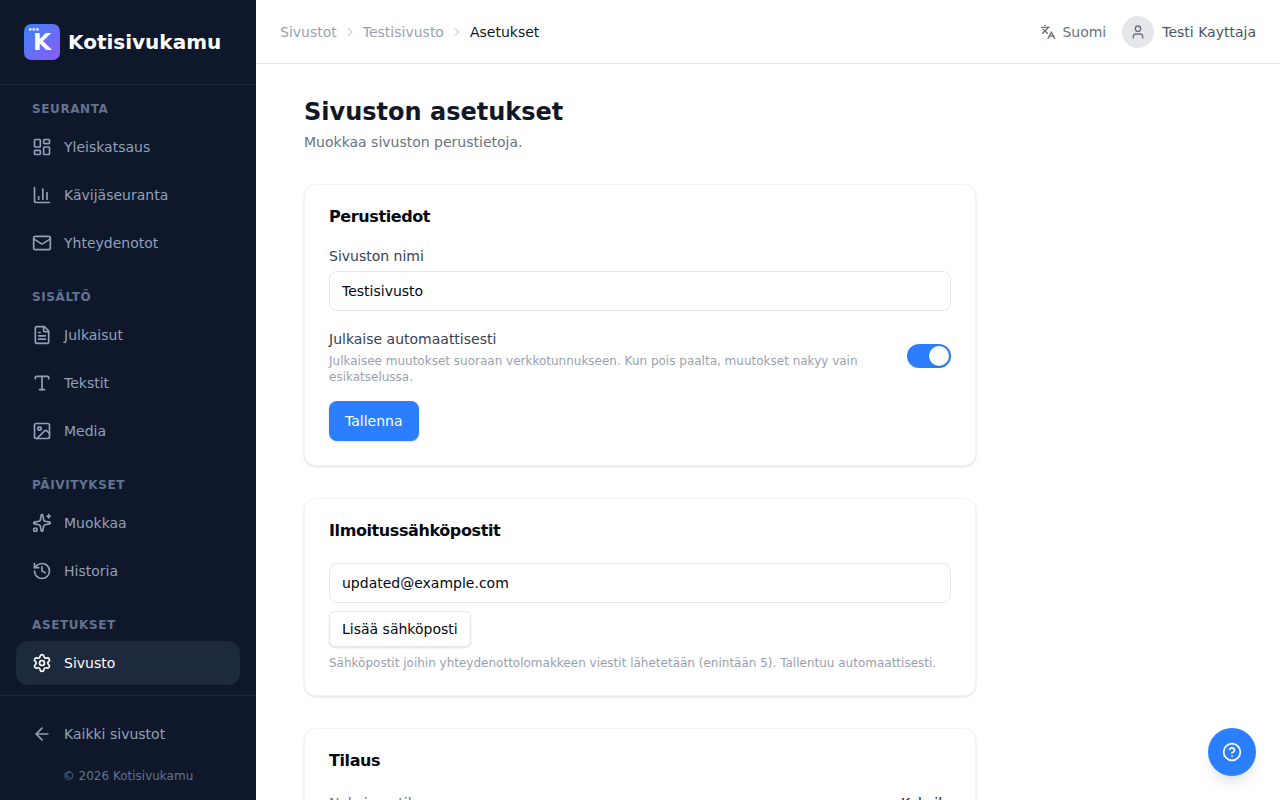
When automatic publishing is off:
- Changes are initially visible only in preview
- You can review changes at your own pace before publishing
- You publish changes separately when you're satisfied
This is useful when making multiple changes at once and you want to publish them together.
Change history
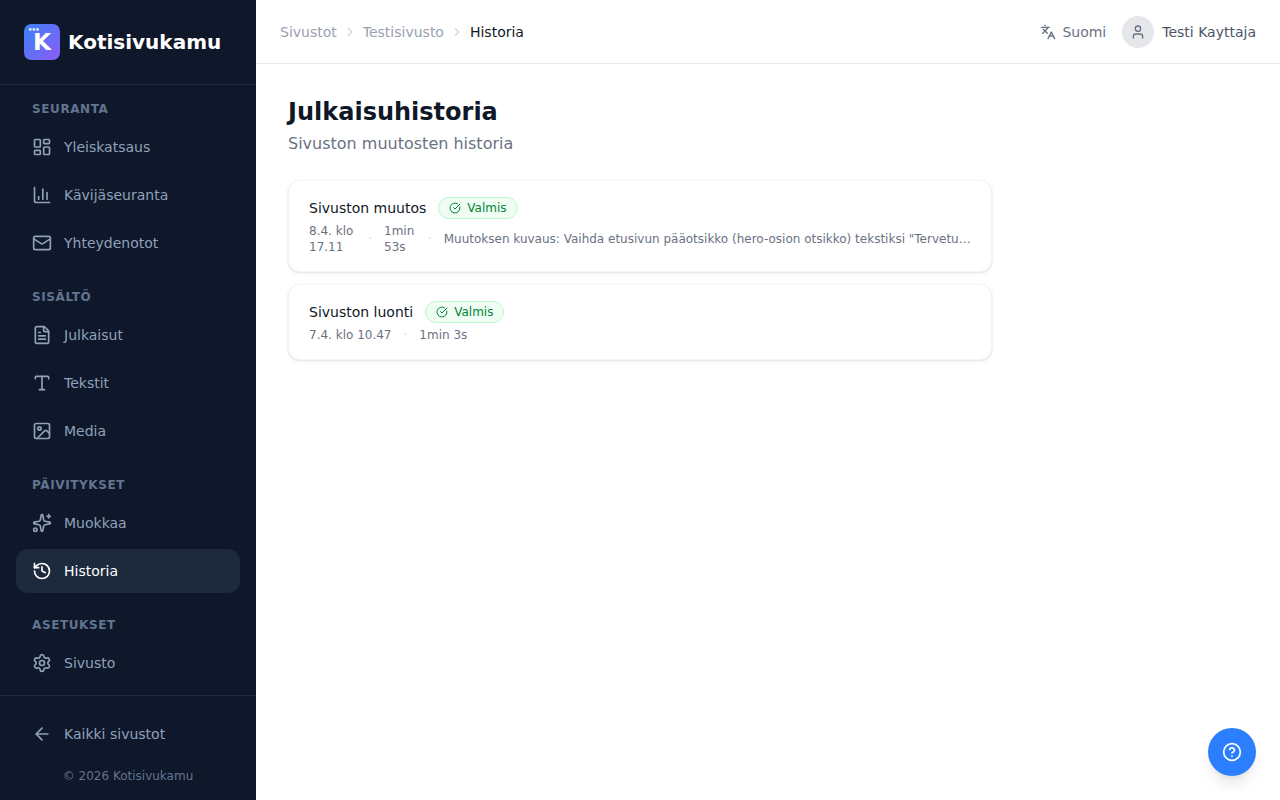
All site changes and their status are visible on the History page. For each change you can see:
- Change type (site creation / site update)
- Status (ready / in progress / failed)
- Timestamp and duration
- Change description